Wear Air Cam
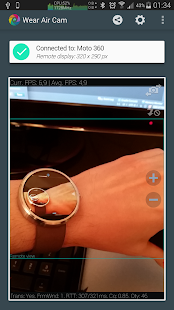
With Wear Air Cam, you can remotely control your phone or tablet's camera and broadcast it to any of your Android Wear powered devices.Usage examples:
• Baby care• House security• Remote control of your phone's camera (include yourself in pictures and group photos!)• Look in tight spaces (like behind furnitures, under the sink, in your car's engine, ...)
Feature list:
• See your phone or tablet camera as a video stream on your Wear device.
• Take photos with a single tap on your Wear device screen.
You can choose the size of the pictures for both back and front-facing cameras.
• Record videos.
Long press on your Wear device screen to start recording.
A timer will let you know for how long you've been recording so far.
Long press again to end recording.
• Record your phone/tablet's microphone.
Recording is also remotely triggered from your Android Wear device.
• Control your phone/tablet's camera hardware from your Wear device (switch between back and front camera, zoom in or out and change flash mode.)
• Remotely start video streaming from your Wear device.
This will work if your phone or tablet is turned off, but only if it has been allowed in the device settings.
If the display is turned on, the capture will shows itself in a floating window that does not cover all the display.
• Choose between broadcasting the whole (scaled down) picture, or a cropped portion of it to benefit the most of your Wear device's screen real estate.
• Auto-adaptive video stream to use the most of the Bluetooth connection between your devices
• Many other settings like video quality, compression algorithm, auto-focus, picture resolution, real-time transmission status, ...
Wear Air Cam has been fully tested with the following Android Wear powered devices : Motorola Moto 360 & LG G Watch, but is intended to work with all kinds of devices.
Have fun with Wear Air Cam, and let us know what do you think of it, and what you would like to see in the future !
About Wear Air Cam
- Package name (App ID)
- net.starnode.wear.AirCam.prod
- Available on
- Google Play
- Price
- Free
- Version
- v1.2.2
- Developer
- Perraco Labs
Looking for the Wear Air Cam APK?
The safest way to get Wear Air Cam (net.starnode.wear.AirCam.prod) on your Android device is to install it directly from Google Play — you'll always get the latest official version, automatic updates, and no risk of modified or infected APK files from third-party sites.
Social Features
Connect and share with friends and the community.
Gaming Features
Enjoy immersive gaming experience with various game modes.
Camera Features
Advanced camera features with editing capabilities.
See Wear Air Cam in Action


Frequently Asked Questions
Is Wear Air Cam free?
Yes, Wear Air Cam is free to download and install on Android through Google Play.
How do I install Wear Air Cam on Android?
Open Google Play on your Android phone or tablet, search for Wear Air Cam by Perraco Labs or tap the Google Play button on this page, then tap Install. The app downloads and installs automatically.
What is net.starnode.wear.AirCam.prod?
net.starnode.wear.AirCam.prod is the App ID (package name) of Wear Air Cam on Google Play. Every Android app has a unique package name, and it is the safest way to verify you are installing the official app.
Is Wear Air Cam safe to download?
Installing Wear Air Cam from Google Play is the safest option: you get the official version published by Perraco Labs, verified by Google Play Protect, with automatic updates. Avoid APK files from unofficial third-party sites.

Get Wear Air Cam Today
Wear Air Cam for Android — free download on Google Play.
Compatible with Android phones and tablets — available on Google Play.
Ask AI about this app
Get instant answers about features, tips and more from popular AI assistants.